Custom Forms: build it once, put it anywhere on your club site
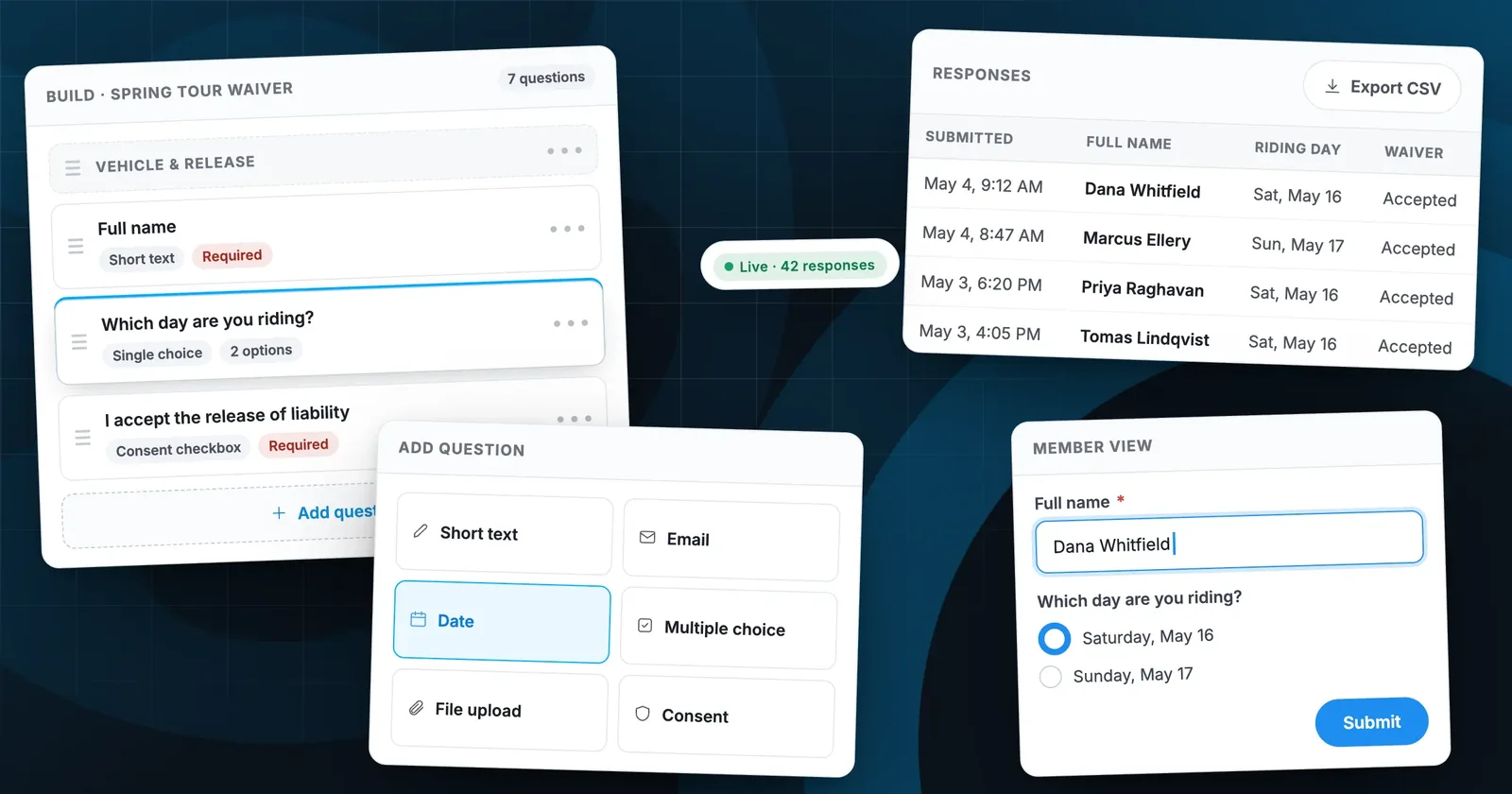
Every club runs on paper it wishes it didn’t. Custom Forms replaces the clipboard, the reply-all thread and the spreadsheet somebody keeps on their laptop — with one form you build in minutes and drop onto any page.
Ask any club secretary where the weekend’s ride waivers are and you’ll get one of three answers: a folder in someone’s garage, a stack of email attachments, or a shared spreadsheet with four columns that mean different things depending on who filled them in. The information exists. It just isn’t anywhere useful.
Custom Forms is now live in RumbleSeat for every club. You build a form once in the admin, publish it, and place it on any page of your site — an event page, a members-only page, the join flow, the homepage. Responses land in one table you can read, filter and export whenever you like.
What you can build
The builder is a question list, not a template gallery — which means the same tool covers most of what a club collects over a year:
- Liability waivers and releases — a consent checkbox that records who accepted and when, so you have an auditable answer before the ride leaves.
- Volunteer sign-ups — one form, one list, with slots for the roles you actually need filled.
- Show and concours entries — vehicle details, class entered, notes for the judges, photo uploads.
- Member surveys — venue preferences, meeting nights, what the club should do more of.
- RSVPs and headcounts — for dinners, tech sessions, anything where the caterer needs a number.
How it works
1. Add questions
Pick a format for each question and give it a label. Short text, long text, email, phone, date, single choice, multiple choice, dropdown, file upload, and a consent checkbox for waivers. Mark any question required, reorder by dragging, and group related questions under section headers so a long form doesn’t read as a wall.
2. Publish and place it
Publishing makes the form live but not yet visible — you decide where it appears. Add it to a page in the page editor, link to it from an event, or restrict it to members-only pages when the questions are for members only. The same form can appear in more than one place without duplicating responses.
3. Read the responses
Every submission arrives in the Responses tab: newest first, one row per person, one column per question. Search it, sort it, open a single response in full, or export the whole table to CSV for the treasurer, the caterer, or the insurance carrier who needs proof of signed waivers.
Why it’s built this way
Three decisions shaped the feature, and they’re worth naming because they’re the difference between a form builder and a form builder clubs actually use.
| Decision | Why it matters for a club |
|---|---|
| Forms are reusable | The annual waiver isn’t rebuilt every spring. Duplicate last year’s, change the dates, publish. |
| Responses live with the club | Not in a volunteer’s personal account. Officers change; the data stays with the club site. |
| Consent is recorded, not implied | A checkbox with a timestamp is defensible. An email saying “sounds good” is not. |
A note on member data
Forms inherit your site’s existing access rules. A form on a members-only page is only reachable by signed-in members, and responses are visible only to officers with admin access. Nothing collected through a form is shared outside your club.
Getting started
Open Admin → Forms and create your first one. If you want a fast win, start with the waiver for your next event — it’s the one that saves the most time on the day, and it’s the one your insurer will ask about.
Custom Forms is included for every club on RumbleSeat at no additional cost.
Our Help Center walkthrough covers building a form, publishing it, and reading responses — with a screenshot of every step.
Powered by RumbleSeat — the all-in-one platform for car clubs, digital garages, and the automotive marketplace.
Start your club free