Introducing the Vendor Directory: your club's trusted shop list, finally in one place
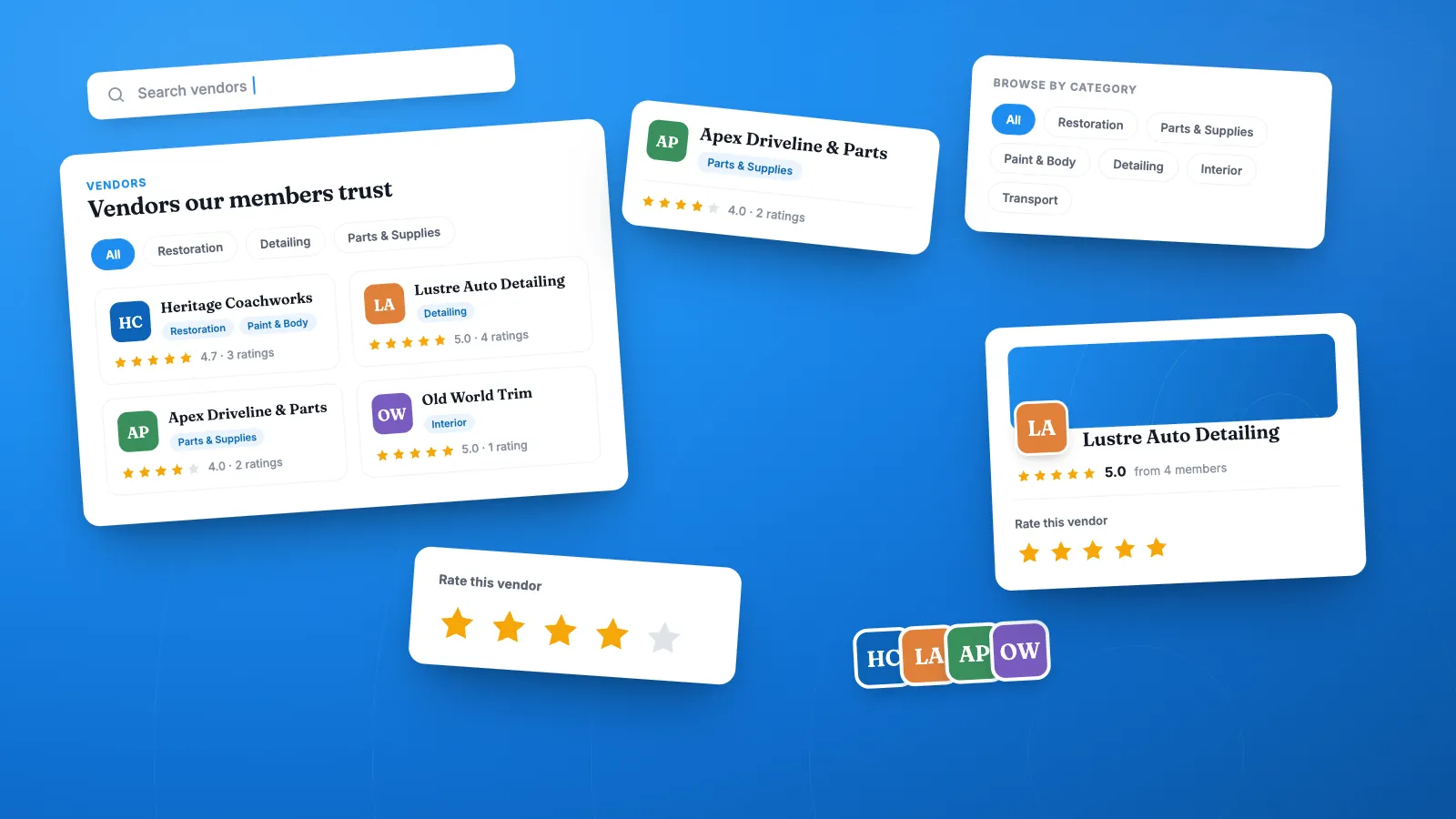
Every car club already has a vendor directory. It just lives in the worst possible places — a thread from 2019, a laminated sheet at the clubhouse, and the collective memory of three guys who’ve been members since the Clinton administration.
The Vendor Directory changes that. It’s a new opt-in page on your RumbleSeat club site where your members’ hard-won knowledge about who to trust — and who to avoid — becomes a permanent, searchable, member-rated resource.
What a car club vendor directory actually solves
When a new member asks “who does good chrome work?”, the club’s answer should not depend on who happens to be reading the forum that hour. The Vendor Directory turns scattered recommendations into shared club infrastructure:
- New members get oriented fast. The single most valuable thing a club offers a first-time restorer is a list of shops that won’t ruin their car.
- Good vendors get repeat business. Shops that treat your members well earn visible ratings and a permanent listing.
- Officers stop answering the same question. Point to the page instead of retyping the same four phone numbers every spring.
How the Vendor Directory works
Categories that match how your club thinks
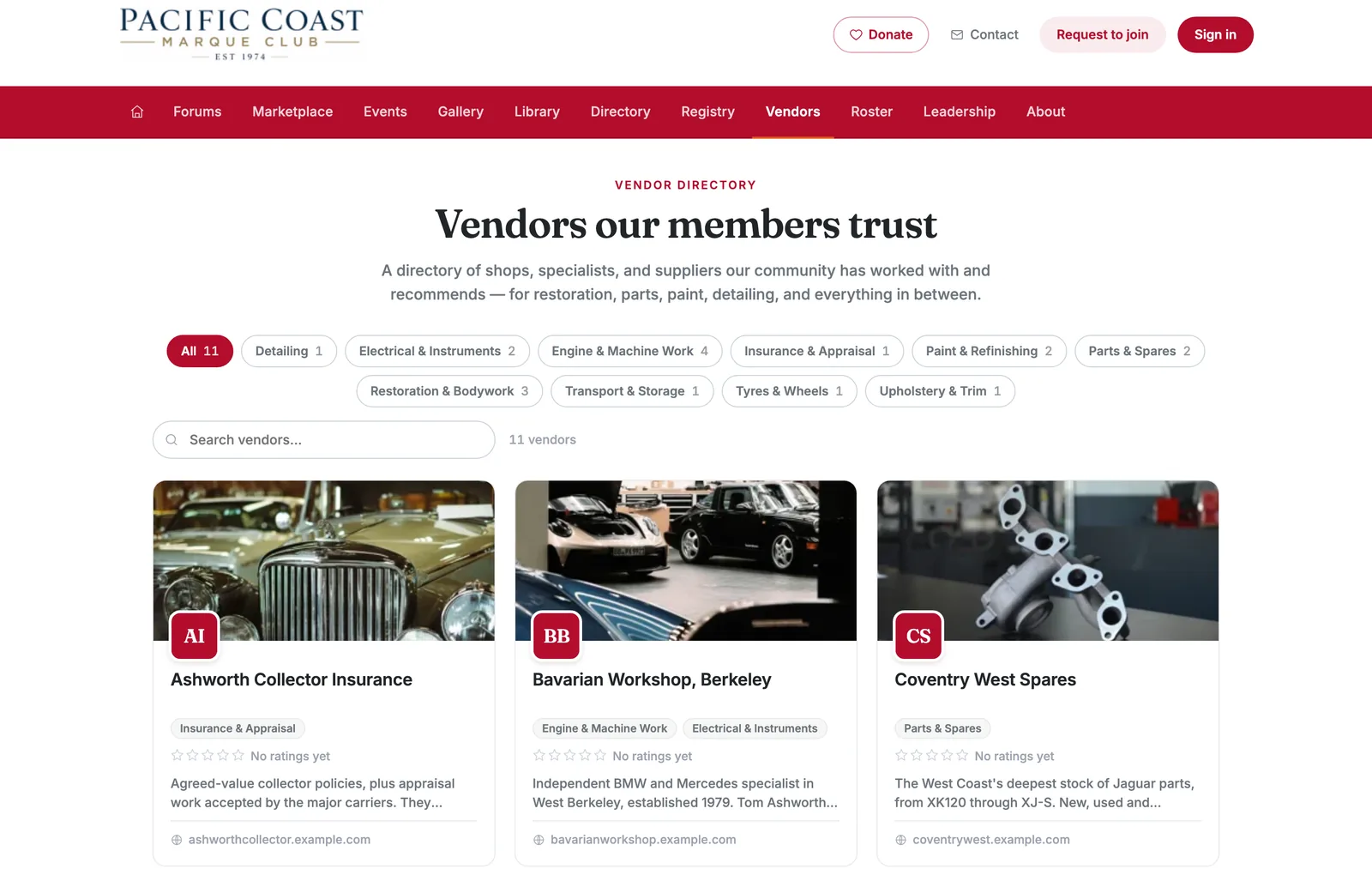
Admins define the categories — Engine & Machine, Paint & Body, Upholstery, Chrome & Plating, Parts & Suppliers, Transport, Insurance. Whatever your marque needs. Vendors can sit in more than one, so the shop that does both paint and body work shows up in both filters, with live counts on every category chip.
A real profile page for every vendor
Each vendor gets a full page: cover image, logo, description, and a contact card with website, phone, email, and address. No logo on file? A lettered monogram and gradient banner stand in, so a half-filled directory still looks intentional.
Member comments and star ratings
This is the part that makes the directory worth trusting. Members leave comments on a vendor’s page, and the aggregate star rating sits right on the card in the grid.
One deliberate rule: only members who have commented on a vendor can rate it. A star with no story behind it is just noise — and it’s how directories get gamed. Requiring a comment first means every rating is attached to an actual experience, with a name on it. Average and count stay visible to everyone; the stars only light up once you’ve said something.
Search and filter that survive a long list
Ten vendors or two hundred, the toolbar handles it — category chips, free-text search, and a live result count. Empty and no-match states both have a way forward instead of a dead end.
Public or members-only, your call
Like every other feature page, the directory has its own visibility setting. Keep it members-only as a benefit of joining, or make it public and let it pull search traffic for the shops your club believes in. It sits right alongside the rest of your club site — your member registry, your club marketplace, and your custom pages — as one more reason membership is worth it.
Turning it on
The Vendor Directory is off by default — no club wakes up to an empty new page in their nav. To enable it:
- Open the Admin Control Panel.
- Find Vendor Directory in the Features list and toggle it on.
- Set visibility to Public or Members only.
- Click the pencil to open settings, add your categories, then add your first vendors.
The nav item appears the moment you flip it on. Start with five vendors your board already agrees on; members will tell you what’s missing.
A note for the vendors themselves
If you run a shop that serves a club on RumbleSeat, the directory is the closest thing to a referral engine your business will get. There’s no ad buy and no placement fee. There’s a listing your customers’ club maintains, and a rating they earn back one job at a time.
Frequently asked questions
Does the Vendor Directory cost extra?
The Vendor Directory is included with Club Pro at no extra charge; it isn’t part of the Standard plan — see pricing. It’s opt-in only because not every club wants the page.
Can members add vendors themselves?
Not in this release. Admins curate the list; members contribute the comments and ratings. This keeps the directory to vendors the club actually stands behind.
Can a vendor appear in more than one category?
Yes. Vendors can carry any number of categories and will appear under each filter.
Who can rate a vendor?
Signed-in members who have left a comment on that vendor’s page. One rating per member; you can change yours at any time.
What happens if we delete a category?
It’s removed from every vendor that used it. The vendors themselves stay.
Can we hide the directory from the public?
Yes — set visibility to Members only and it’s visible only to signed-in members.
Ready to build your club’s list? On Club Pro, open your Admin Control Panel and turn on the Vendor Directory. If you don’t have a club site yet, you can create a free account and start one.
Our Help Center walkthrough covers naming your directory, adding categories and vendors, and how member ratings work — with a screenshot of every step.
Powered by RumbleSeat — the all-in-one platform for car clubs, digital garages, and the automotive marketplace.
Start your club