One clear price: card and platform fees now build into your club's prices
For club admins · Action recommended
We've changed how fees work on RumbleSeat. Members now see one clear price for every membership, chapter, event and paid add-on. No separate "card processing" or "platform fee" lines appear at checkout. Instead, your club decides whether its prices include those costs, and RumbleSeat does the math for you.
This post explains what changed, why, and the few minutes of setup we recommend for every club that collects payments online.
What changed
Before
Clubs could pass two costs to members as separate lines at checkout:
- Card processing: Stripe's 2.9% + $0.30 per payment
- RumbleSeat platform fee: 1%
A member joining for $95 plus $20 chapter dues saw a subtotal, then two fee lines, then a total of $119.93.
After
Members see one price for each item and one total. The fees are part of the price, the same way a restaurant's menu price already covers its credit card costs.
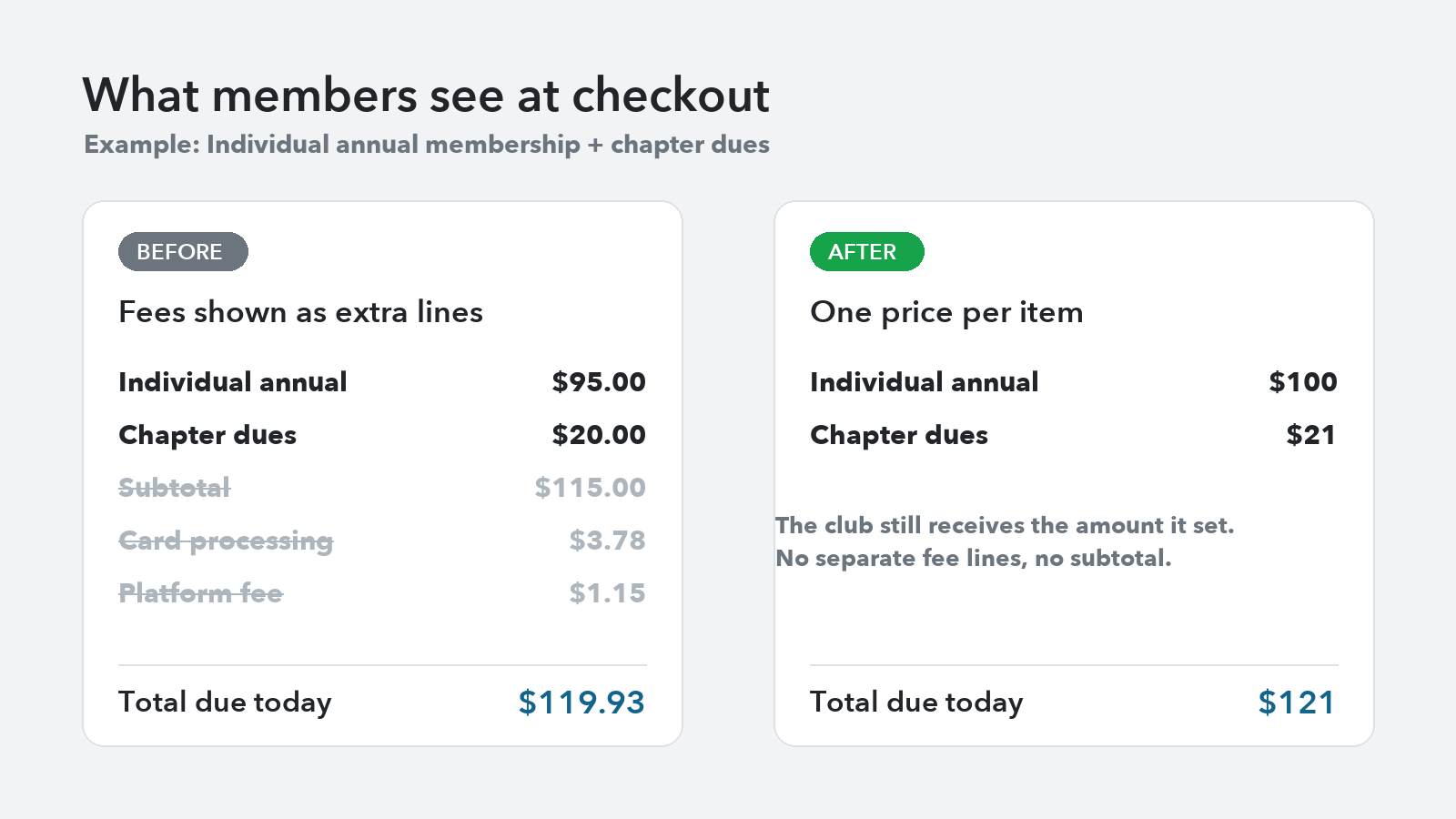
That same member now sees Individual Annual at $100, chapter dues at $21, and a total of $121. Your club still receives the full amount you set.
Why we made this change
It's simpler for members. One number is easier to understand than a price plus fees that only appear at the last step. Members know exactly what they'll pay the moment they see a price.
It follows how pricing rules are heading. Card network rules limit how and when card surcharges can be added at checkout. A growing number of states also expect advertised prices to include any mandatory fees. Showing one all-in price is the approach those rules favor, and it keeps your club's checkout consistent wherever your members live.
It's one price however members pay. Online, by cash or by check, the price is the same.
RumbleSeat can't give legal or tax advice. If you have questions about your club's own obligations, please check with your club's advisor.
What you need to do
If your club collects payments online, take a few minutes to review your settings. Until you do, your existing prices stay exactly as they are, and your club covers the card processing and platform fees out of its payout.
Step 1: Choose what your prices cover
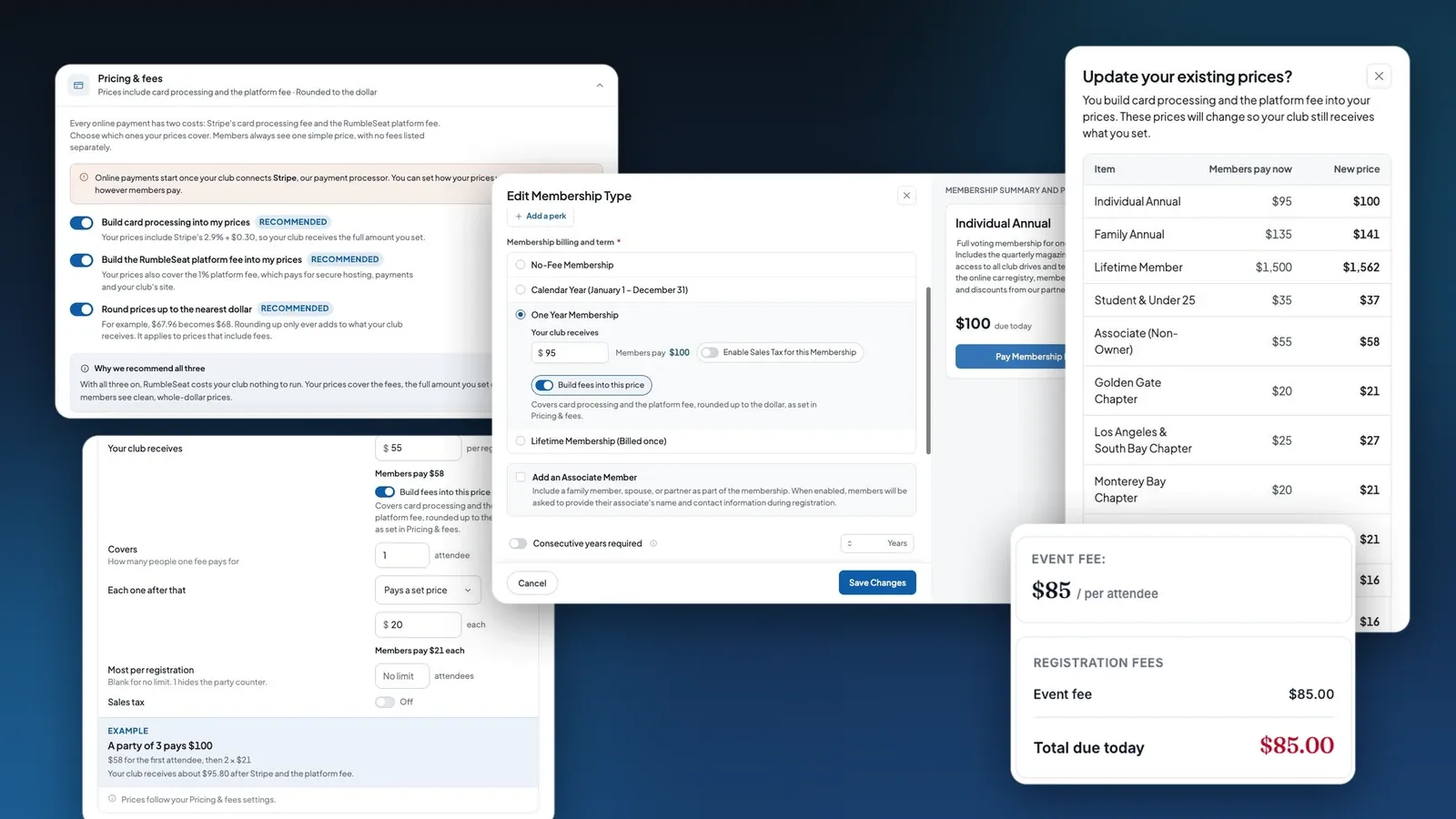
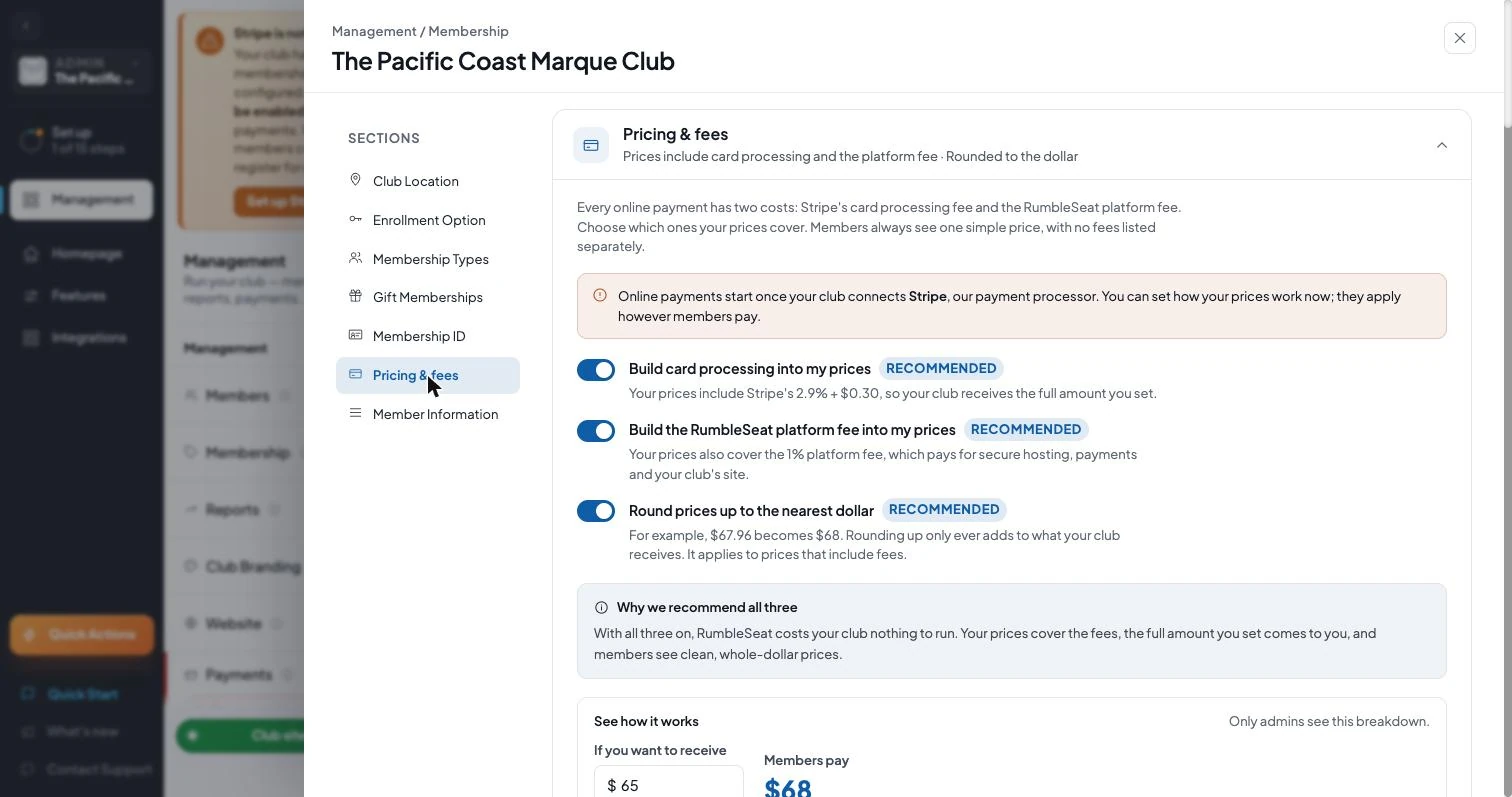
On your club site, open Management → Membership → Pricing & fees. You'll find three switches:
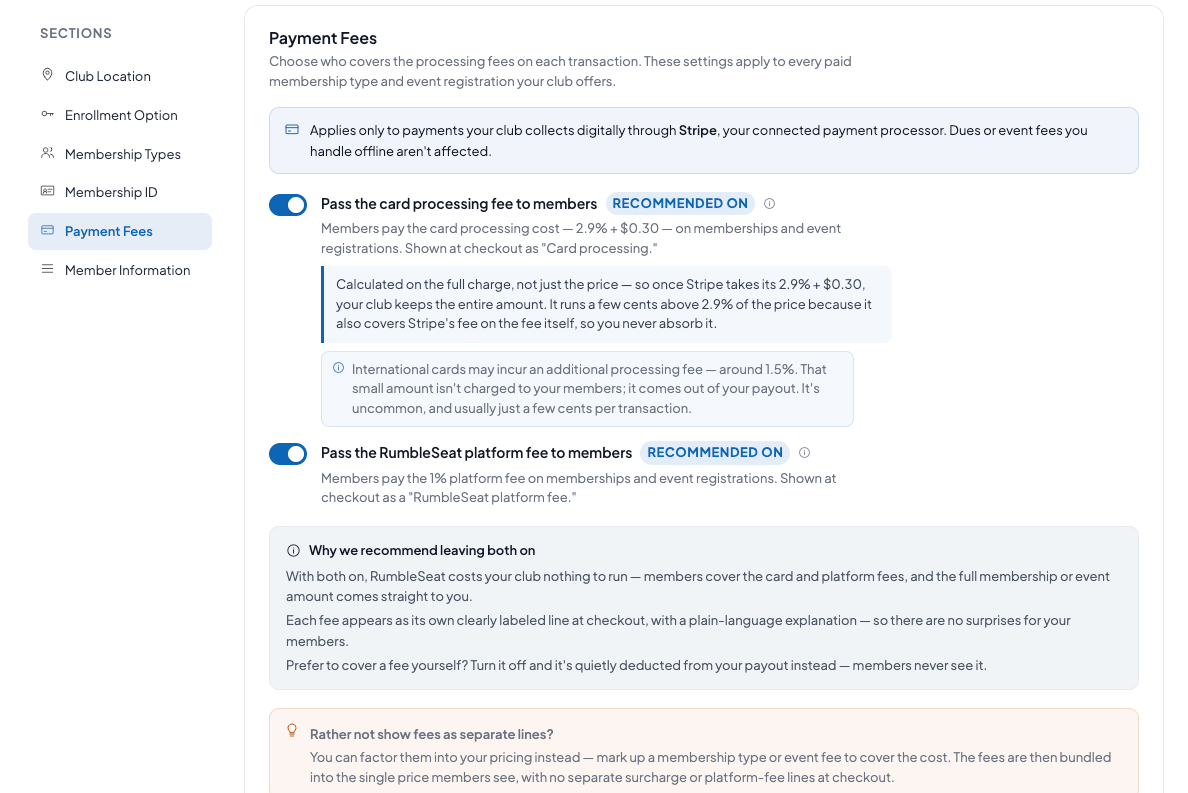
- Build card processing into my prices: your prices include Stripe's 2.9% + $0.30.
- Build the RumbleSeat platform fee into my prices: your prices also cover the 1% platform fee.
- Round prices up to the nearest dollar: $67.96 becomes $68. Rounding up only ever adds to what your club receives.
We recommend all three. With them on, members cover the card processing and platform fees, so your club receives the full amount you set, and members see clean, whole-dollar prices. You can turn any of them off if your club would rather cover a cost itself.
Step 2: Check the example
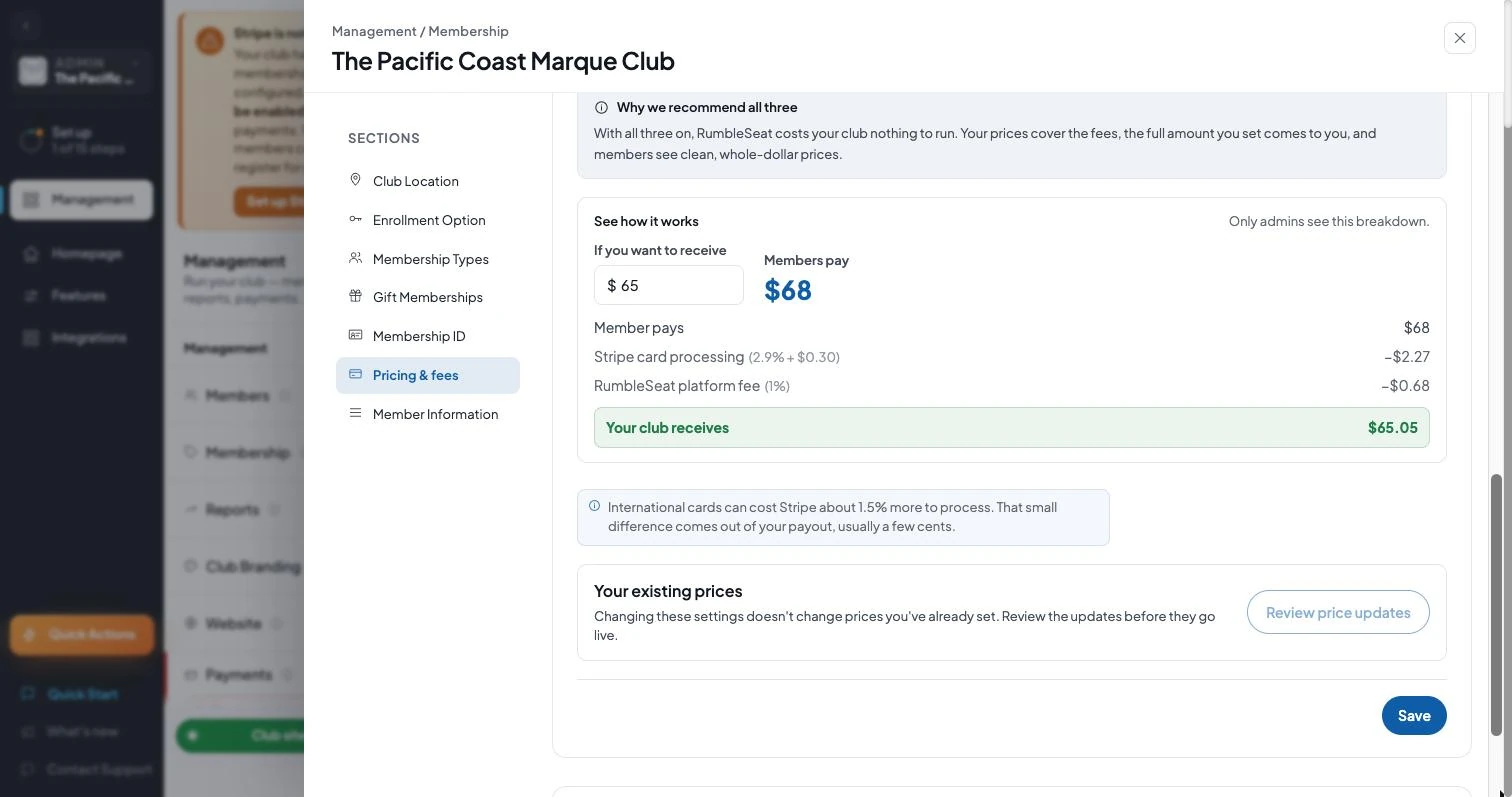
Under See how it works, enter an amount your club wants to receive. You'll see what members pay and exactly where the money goes. Only admins see this breakdown.
For example, if you want to receive $65, members pay $68. After Stripe's $2.27 and the $0.68 platform fee, your club receives $65.05.
Step 3: Update your existing prices
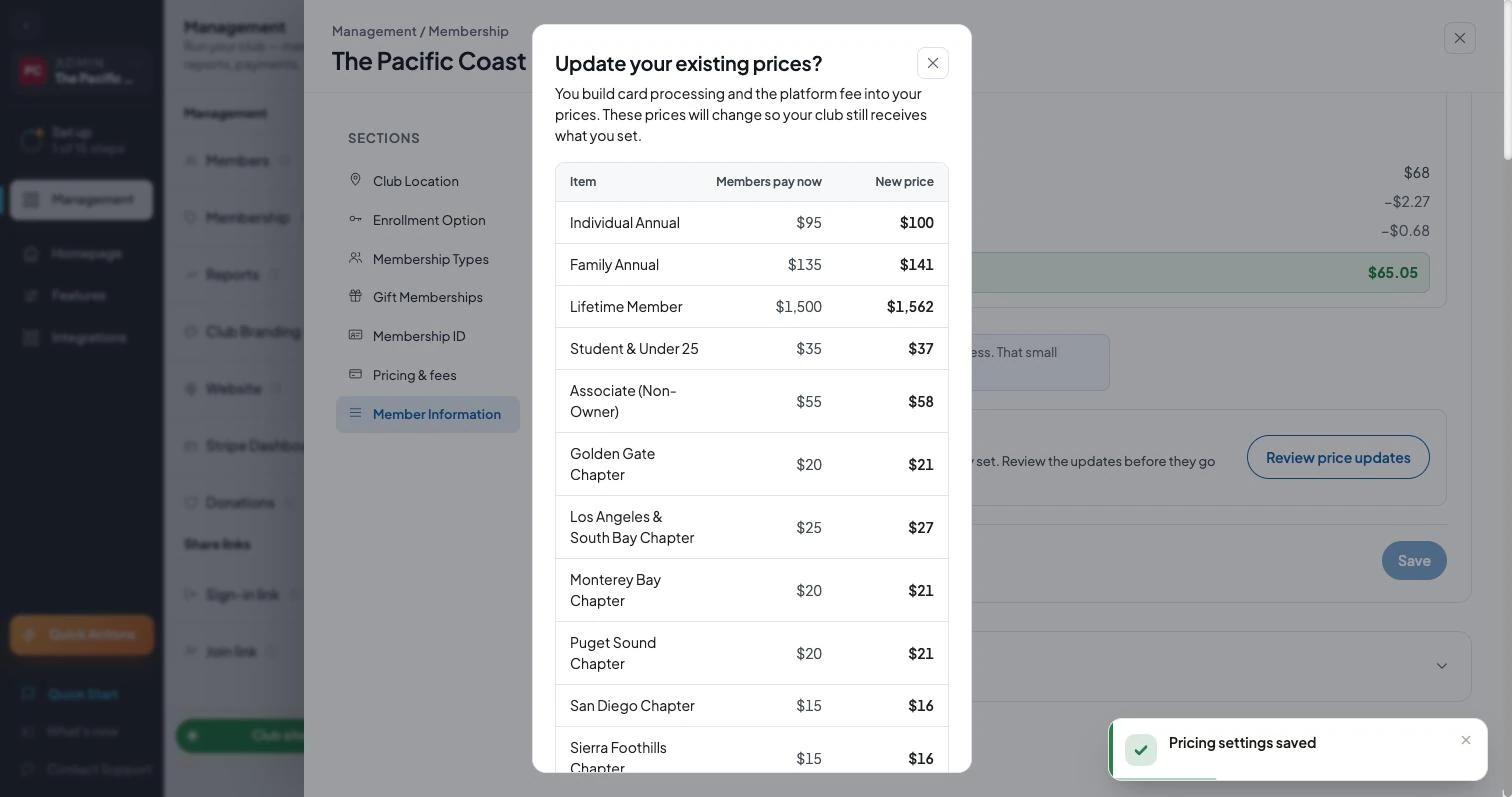
Changing the switches doesn't change prices you've already set. Select Review price updates to see every membership type and chapter fee, with today's price next to the new one. If it looks right, select Update prices.
Upcoming events, unpaid registrations and paid question options update at the same time. Payments already made aren't changed. You can also choose to update renewal prices for current members.
Step 4: Set new prices the easy way
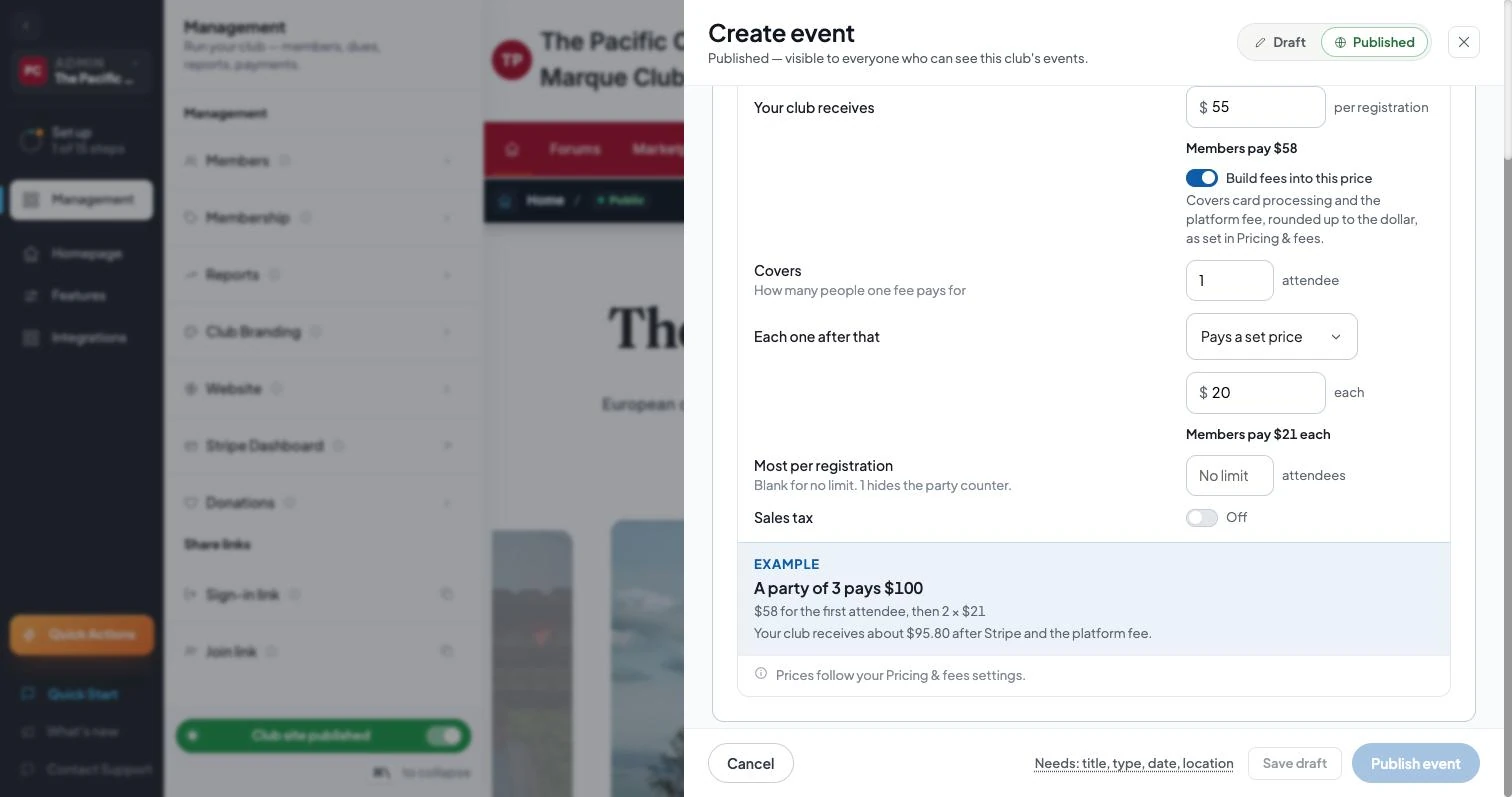
From now on, every price field asks for what your club receives and shows what members pay right beside it. This includes membership types, associate fees, chapter fees, event fees, extra attendees and paid add-ons.
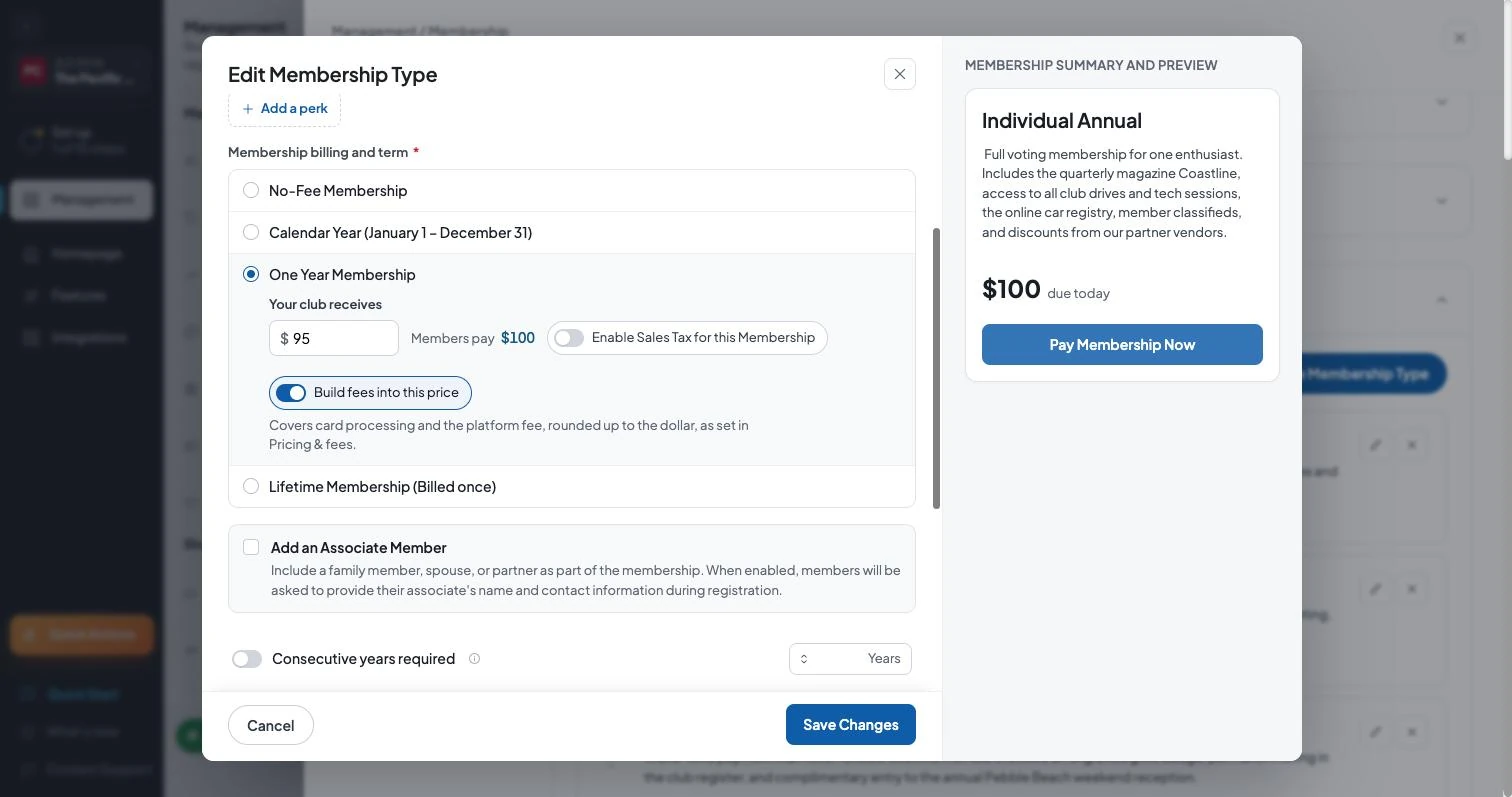
Each item also has a Build fees into this price switch. Turn it off for any price you want members to pay exactly as entered, such as a round-number lifetime membership. Your club then covers the fees on that item.
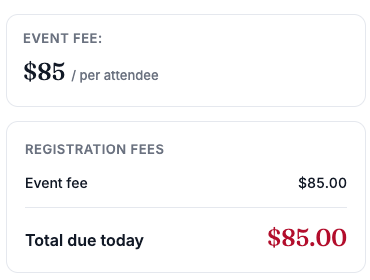
When members register, they see the event's price and the total. Apart from sales tax, when your club collects it, nothing is added at the last step.
A quick checklist for admins
- Review Pricing & fees and choose what your prices cover.
- Select Review price updates, then Update prices.
- Update anywhere you've published prices: newsletters, flyers, renewal letters, your club site's custom pages and social posts. Members should see the same number everywhere.
- Check events with set prices for extra attendees, discounts or paid add-ons, and make sure the totals look right.
- Use one price for every payment method. If your club offers different prices for checks and cards, consider moving to a single price.
- Tell your members, if you like. A short note in your next newsletter helps: "Prices now include all fees. What you see is what you pay."
Common questions
Will my members pay more?
If your club already passed fees to members, the total they pay is about the same. It's now shown as one number, and with rounding on it can be up to $1 higher. If your club covered the fees before, nothing changes until you update your prices.
Do I have to build fees into my prices?
No. It's your choice. If you leave the switches off, your prices stay as they are and the fees come out of your payout, just as before.
What does my club receive?
With both fees built in, your club receives at least the amount you set on standard domestic card payments. International cards can cost Stripe about 1.5% more to process. That small difference comes out of your payout, usually a few cents.
What about cash and check payments?
They use the same price as card payments.
Where can I get help?
Reach out to us any time from Contact support in your admin panel.
Powered by RumbleSeat — the all-in-one platform for car clubs, digital garages, and the automotive marketplace.
Start your club