Membership IDs Are Here: Give Every Car Club Member a Number That Sticks
Ask a club secretary how members get their numbers and you’ll usually hear the same story. There’s a spreadsheet, a “last number used” written on a sticky note, and an occasional surprise when two people turn out to have carried number 214 for three years.
Car club membership numbers matter, whether you’re running an established club or just figuring out how to start a car club. They go on name badges and membership cards, and they’re the quickest way to find someone at the check-in table on the spring tour. Until now, keeping them consistent took manual work, careful record-keeping, and some luck.
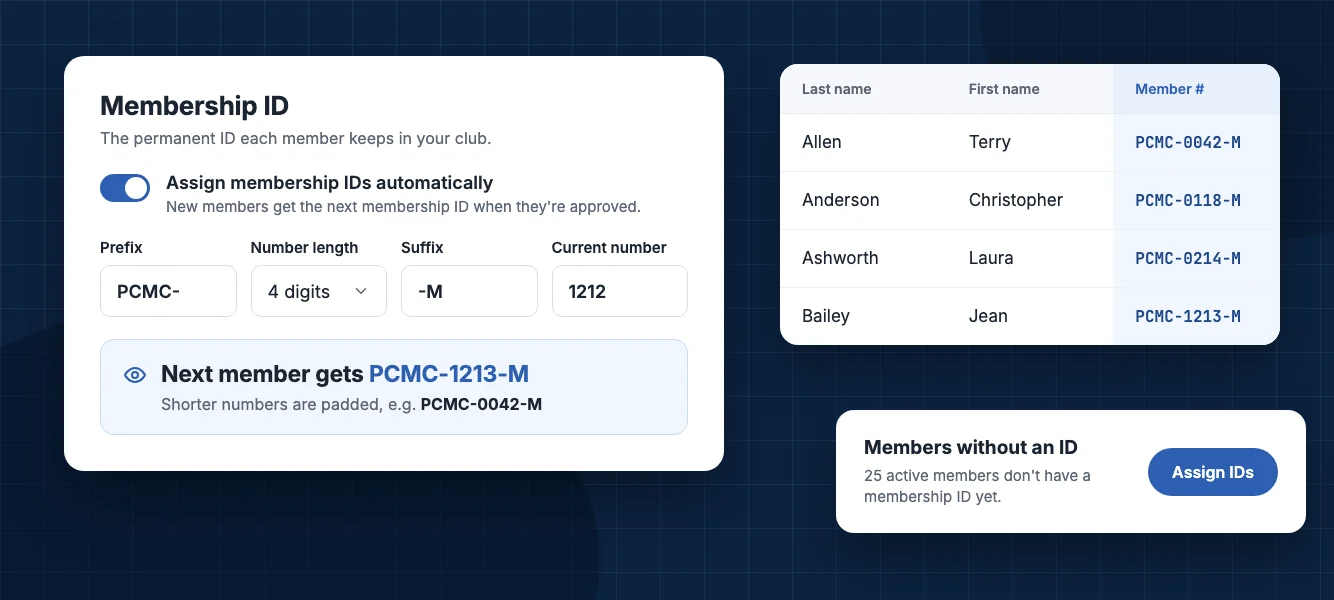
Starting today, RumbleSeat handles it for you. Clubs can give every member a permanent Membership ID in a format the club chooses. New members are numbered automatically, your existing roster can be numbered in one step, and duplicates are blocked.
What is a membership ID (member number)?
A membership ID, also called a member number, is a unique identifier your club gives each member, such as PCMC-0042-M. A member keeps the same ID while they belong to your club, and automatic numbering never hands it to anyone else.
Numbers belong to people, not to membership years, so they don’t reset each January. Member 42 stays member 42.
Choose your membership number format
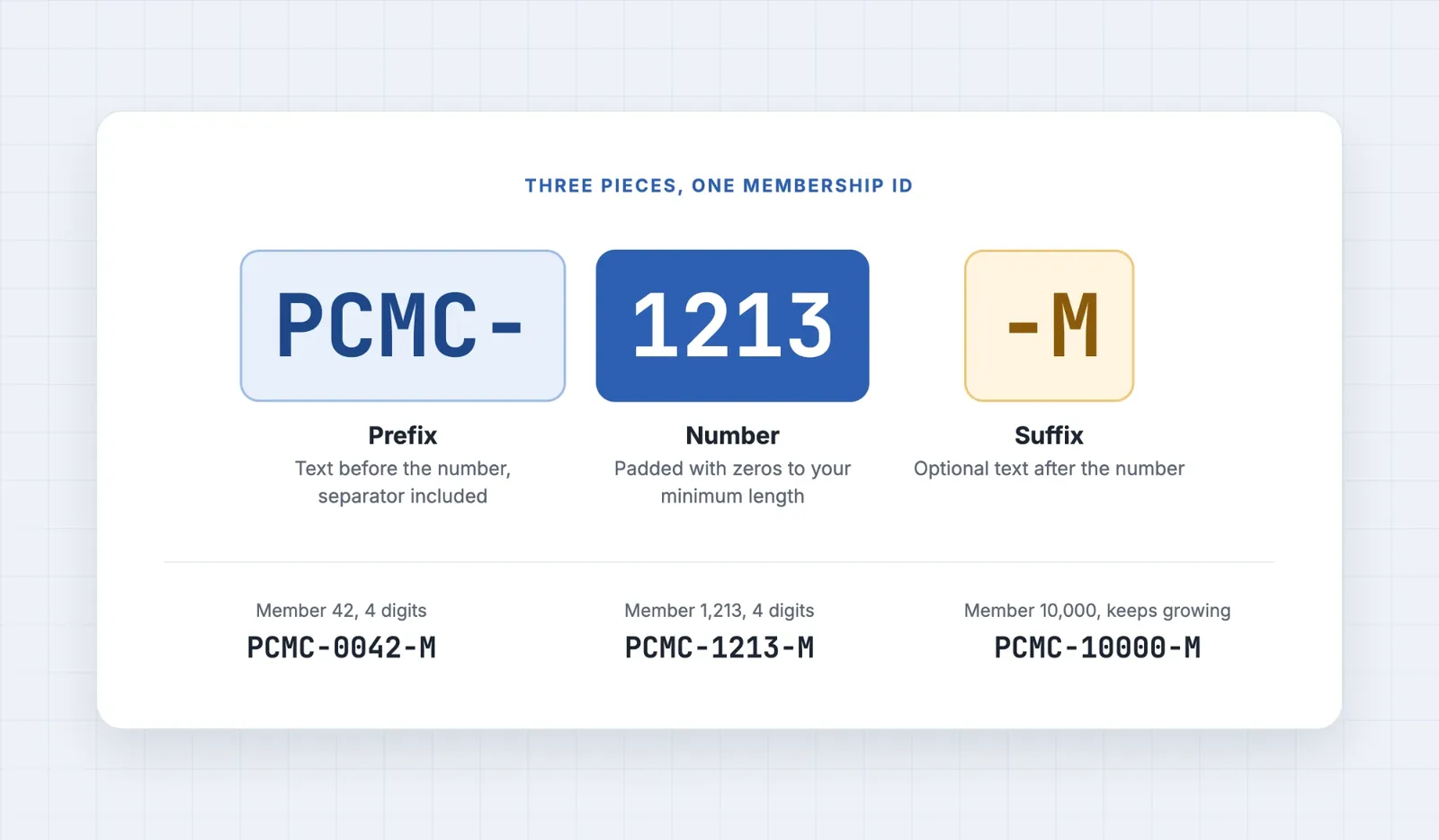
Every club has its own numbering style, so you build your format from three pieces:
Prefix
Text that goes before the number, like your club’s initials. Type the separator yourself: PCMC- with a dash, PCMC/ with a slash, or PCMC. with a dot. Spaces at the start or end are dropped, and a prefix can be up to 10 characters.
Number length
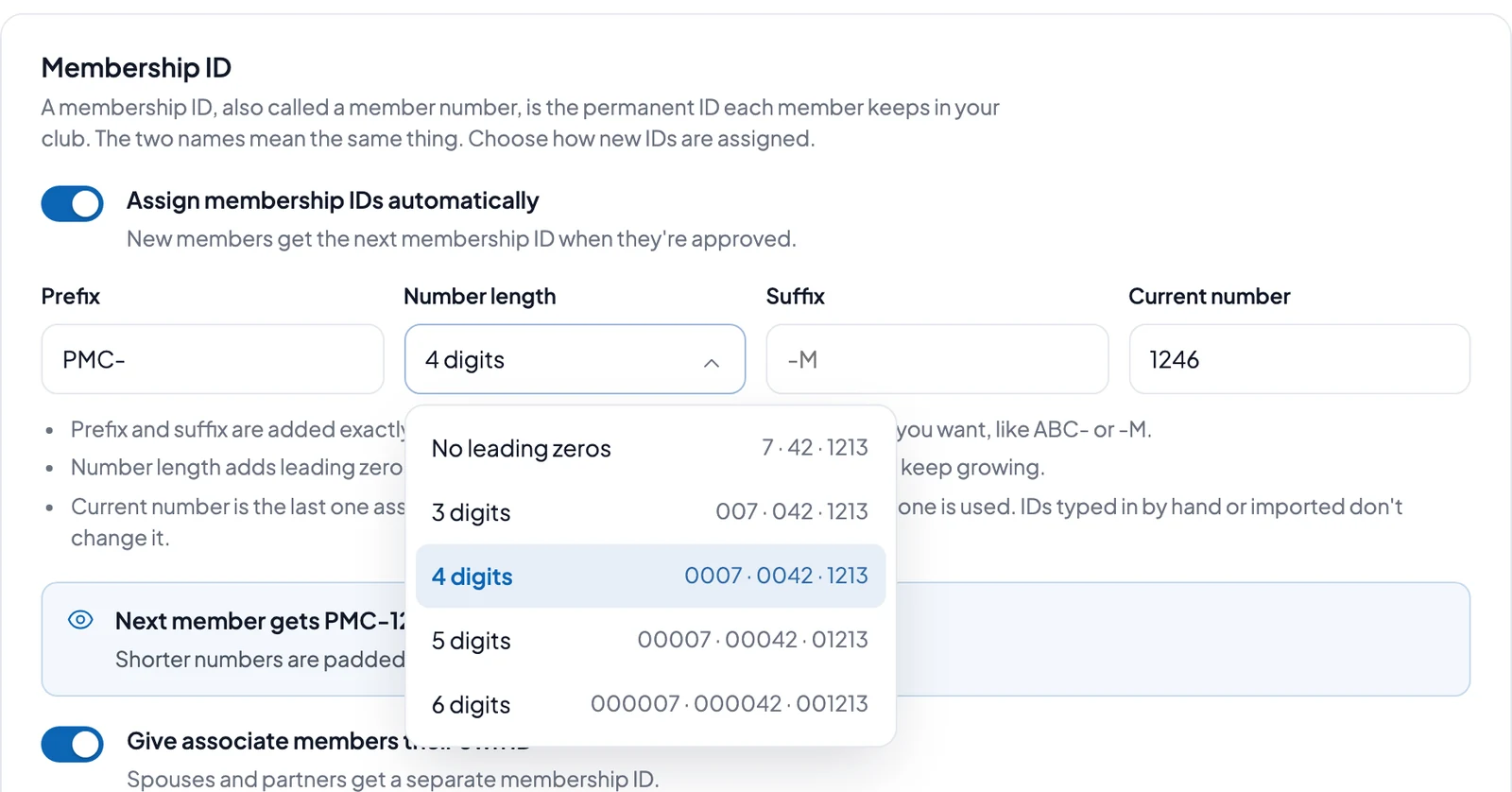
Pick no leading zeros or 3 to 6 digits. Short numbers get leading zeros so everything lines up neatly: with 4 digits, member 42 becomes 0042. It’s a minimum, not a cap, so the number after 9999 is simply 10000.
Suffix
Optional text after the number, such as -M, also up to 10 characters.
As you type, a live preview shows the ID the next member will get, plus how a short number will look. You’ll know your format is right before you save it.
Set it up in about two minutes
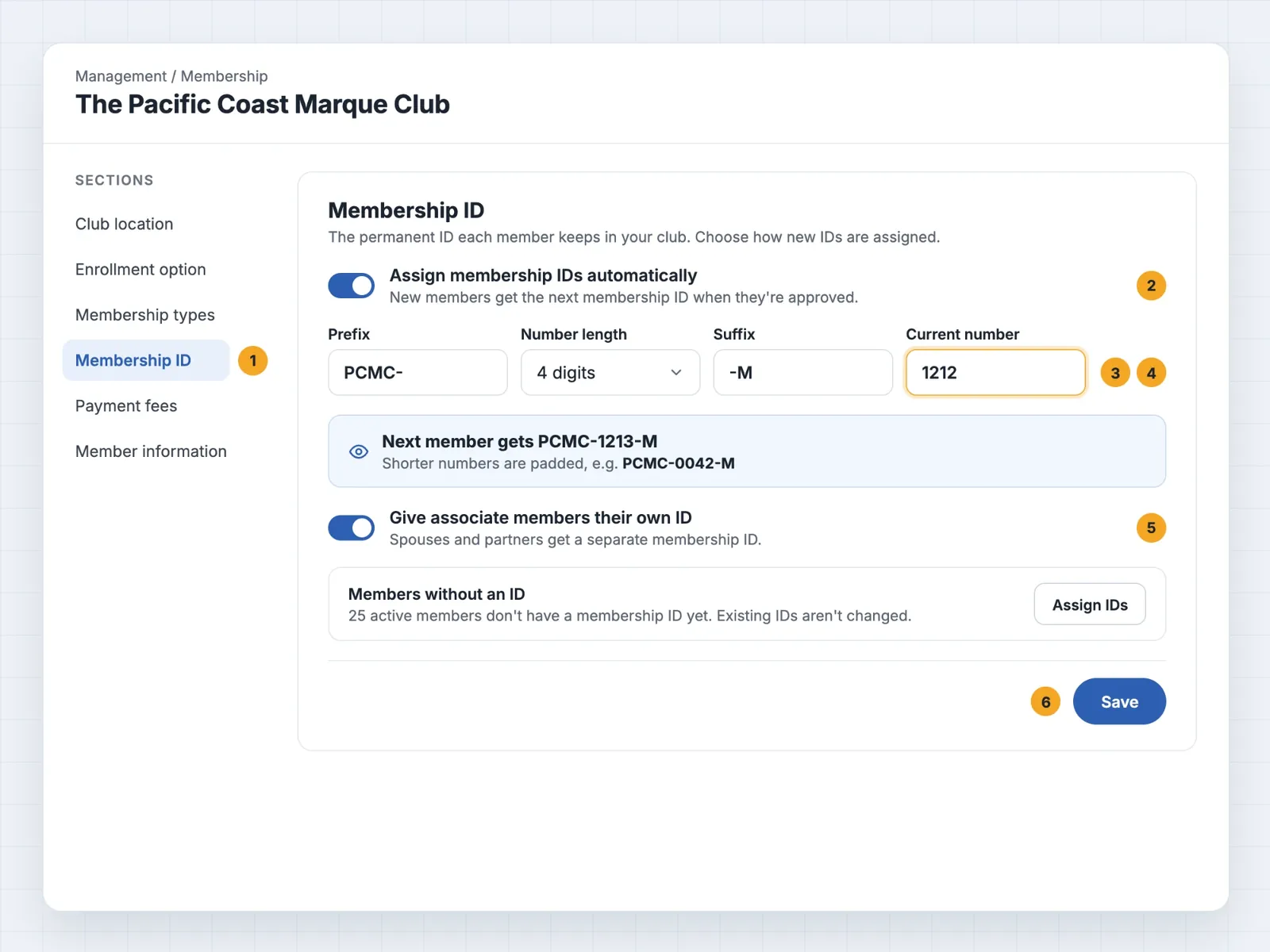
- In your club’s Control Panel, go to Management → Membership, then pick Membership ID under Sections.
- Turn on Assign membership IDs automatically.
- Choose your prefix, number length and suffix, and check the preview.
- Set Current number. This is the last number given out, so a new club leaves it at 0. If your club already uses numbers, enter your highest one and the next member gets the number after it.
- Use Give associate members their own ID to decide whether associate members (spouses and partners) get an ID of their own.
- Click Save.
That’s the only setup required.
New members are numbered automatically
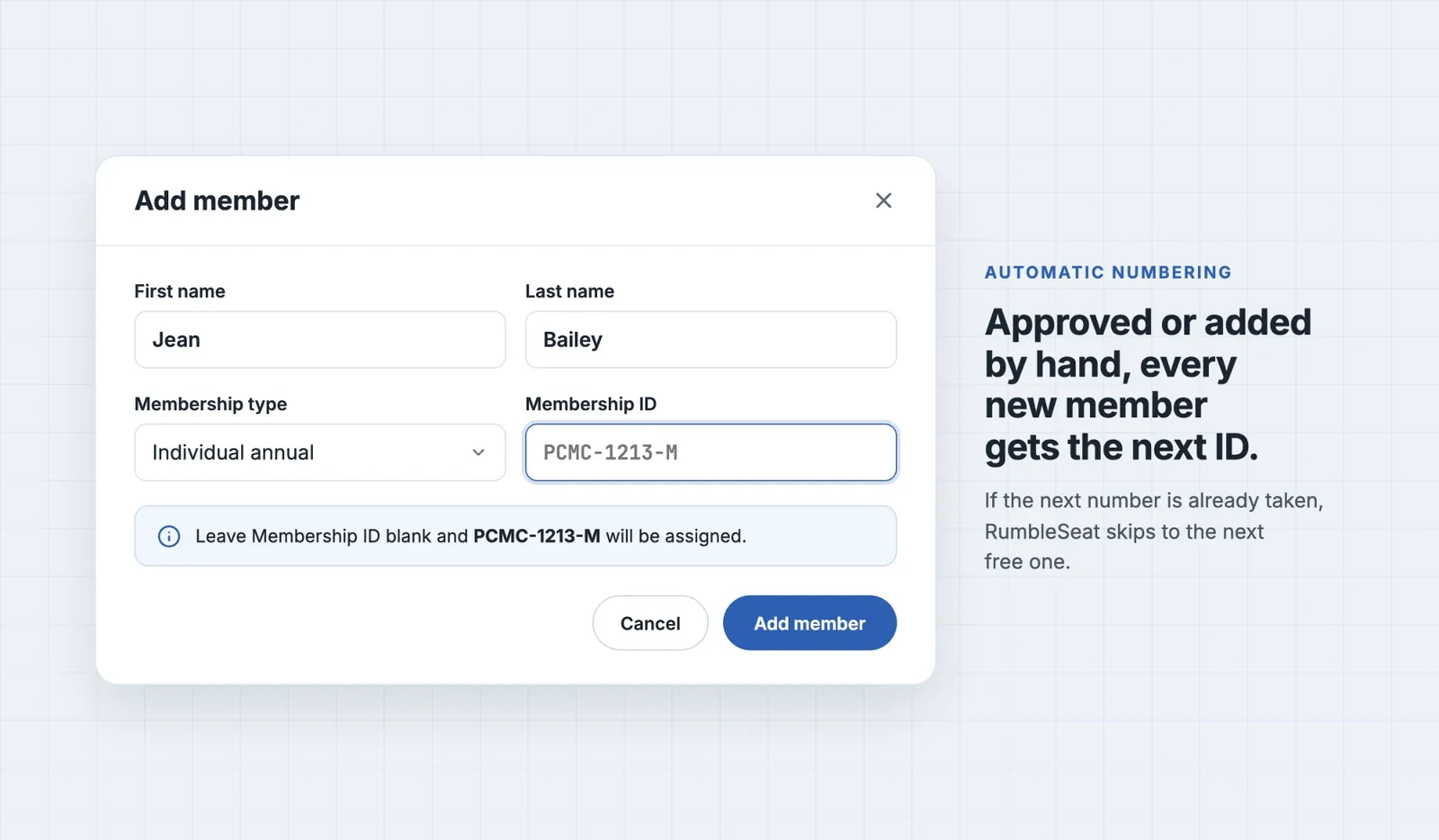
With automatic assignment on, each new member gets the next ID as soon as they’re approved. If an admin adds a member by hand and leaves the Membership ID field blank, RumbleSeat fills it in, and the form shows the next ID before you save.
If the next ID is already taken, RumbleSeat skips to the next free one.
Assign member numbers to your whole roster in one step
Most clubs won’t be starting from scratch. Once automatic assignment is turned on and saved, the bottom of the Membership ID section shows how many active members don’t have an ID yet. Click Assign IDs, review the confirmation, and every one of them is numbered in a single step. Numbering uses your saved settings, so save any changes first.
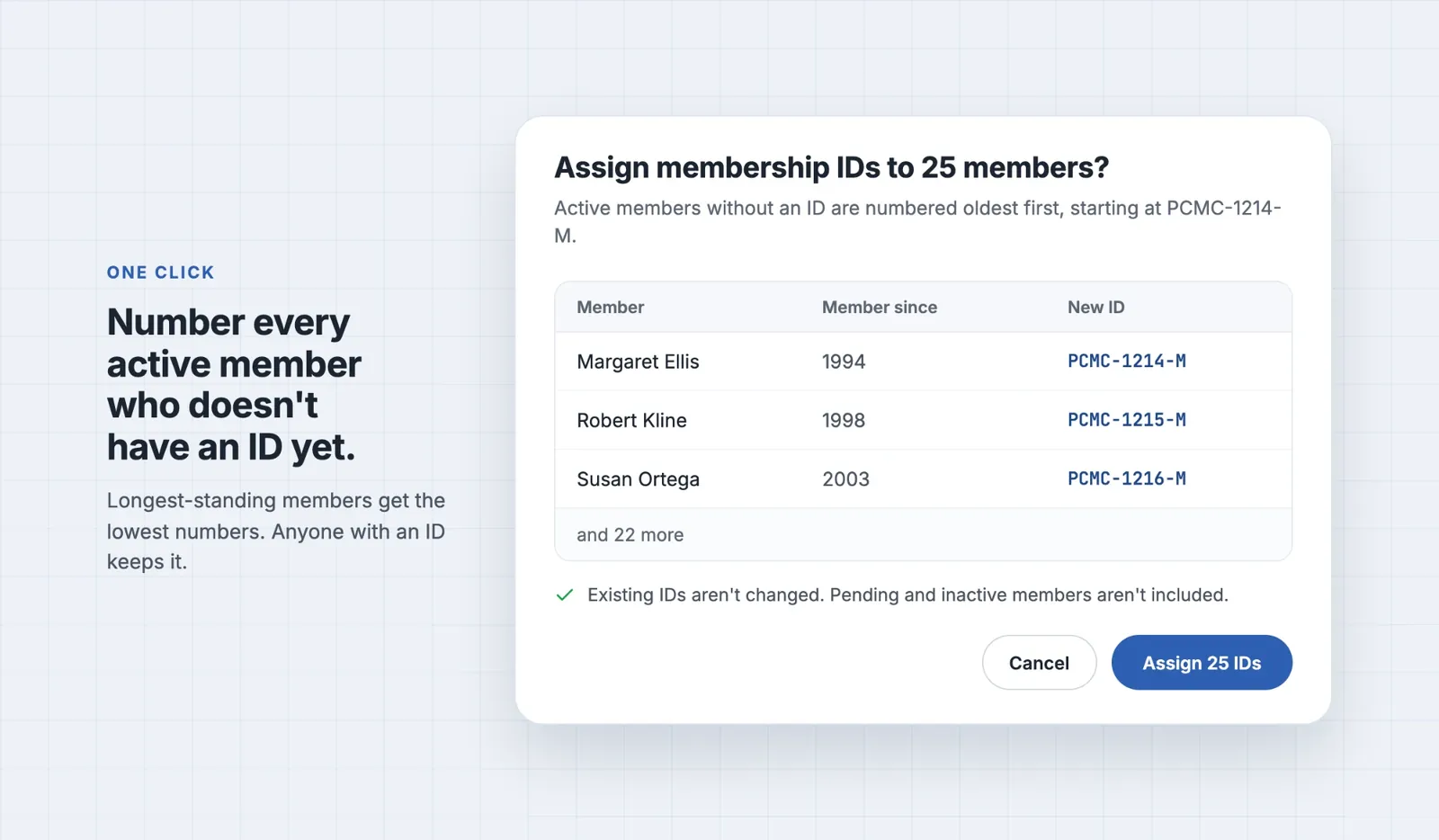
Members are numbered in the order they joined, so your longest-standing members get the lowest numbers. Anyone who already has an ID keeps it. Associate members are included only when Give associate members their own ID is on.
Need to fix one member? Easy.
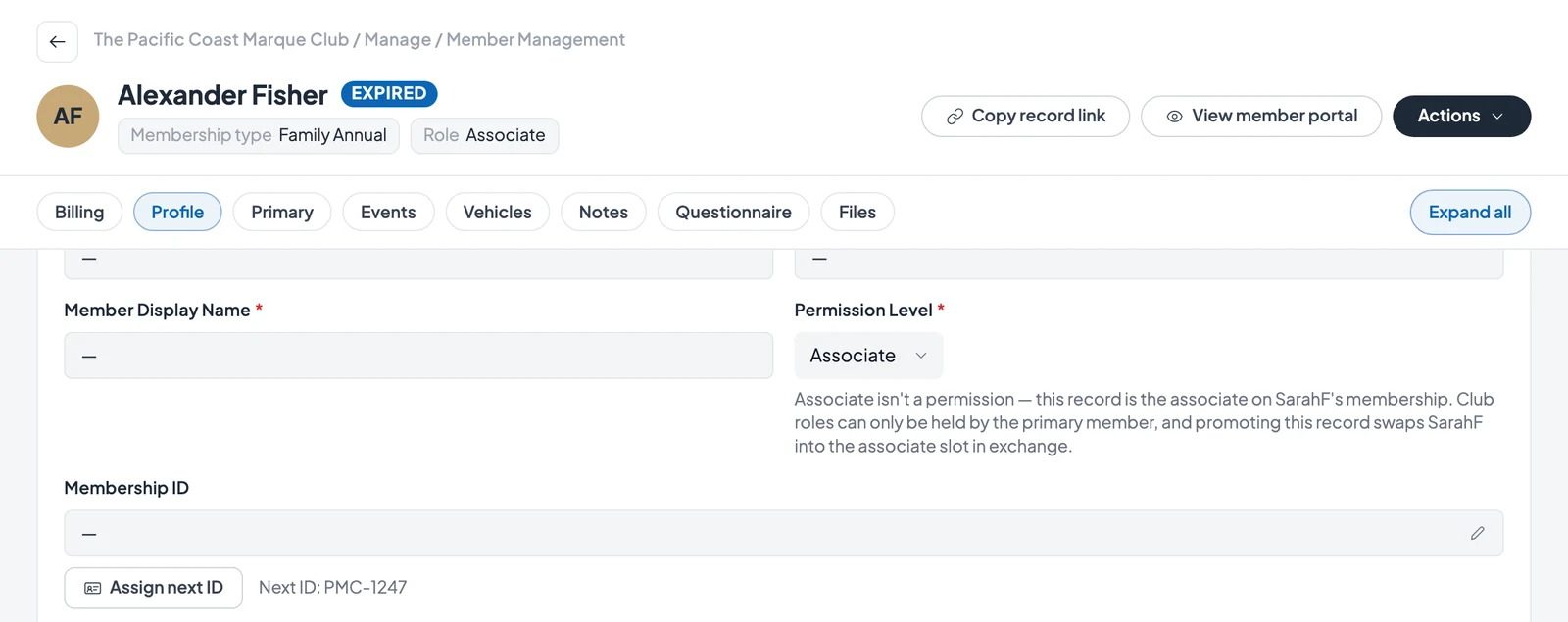
Open the member’s record from Management → Members and go to its Profile section. If they don’t have an ID yet and automatic assignment is on, click Assign next ID. To type a specific ID instead, click the pencil next to Membership ID. If that ID already belongs to someone else, RumbleSeat doesn’t save it and tells you it’s already in use.
No more duplicates
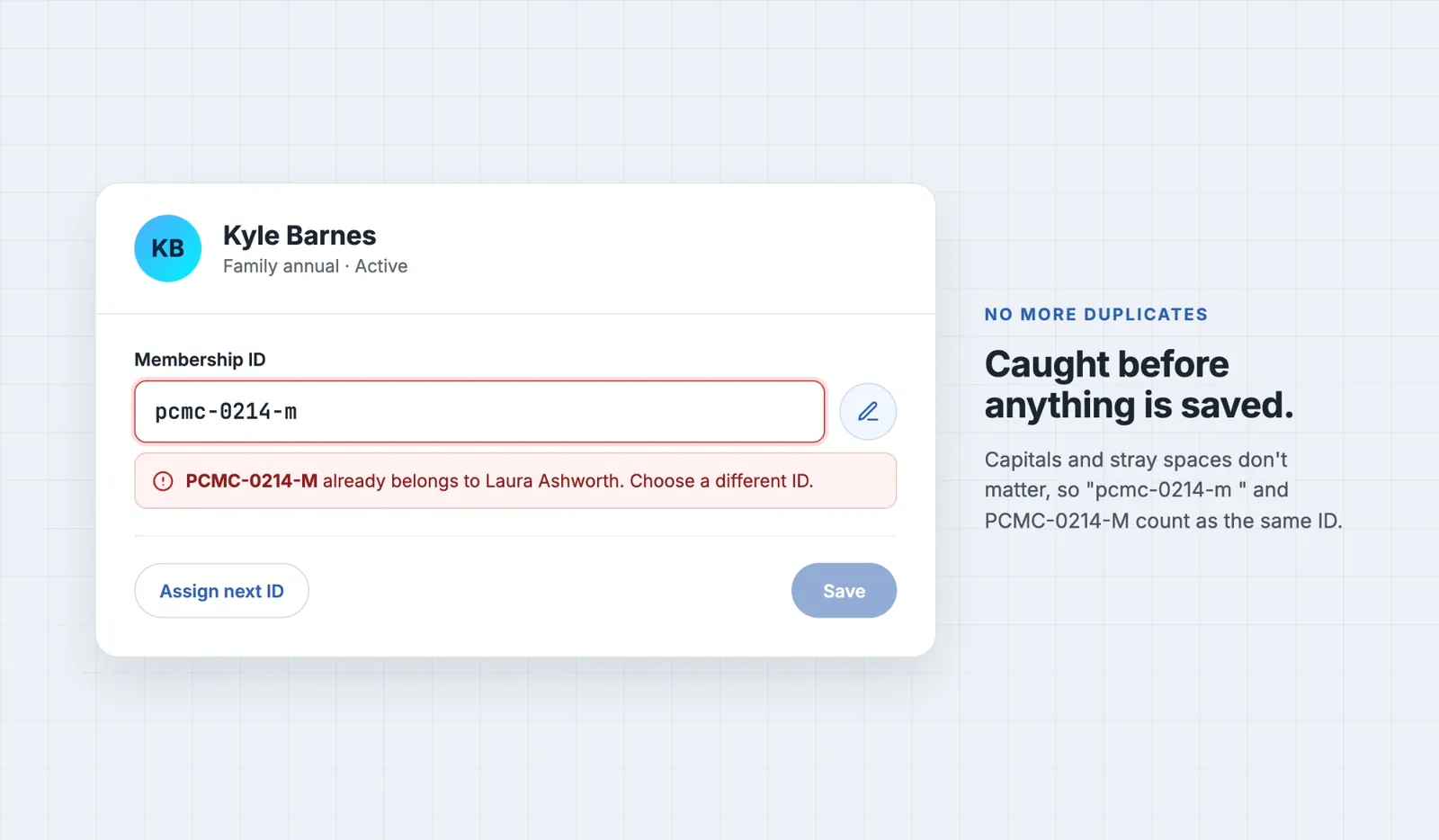
Every membership ID must be unique within your club. When an admin adds a member or types an ID, RumbleSeat checks it automatically, ignoring capital letters and any spaces before or after, so “pcmc-0042-m” and “PCMC-0042-M ” count as the same ID. Two members can no longer end up with the same ID.
The check compares whole IDs, not just the numbers inside them: an old ID of 214 and a new PCMC-0214-M count as different IDs. If you’re bringing over existing numbers, put them in your new format first so every ID follows one pattern.
Where the number shows up
Members see their own number on your club site’s Membership page, under Member number. In your Members list, the Member # column shows every member’s ID, and it comes along when you export the list to CSV, ready for name badges and membership cards.
On event day, the Members search matches membership IDs, so an admin at the check-in table can type a number and find the member. For the rest of the day, see our free car club tools.
A few things worth knowing
Changing your format doesn’t rewrite existing IDs.
A new prefix, suffix or number length applies only to IDs assigned from then on. Existing IDs stay as they are.
Turning automatic assignment off doesn’t remove anyone’s ID.
It only stops new members from being numbered automatically.
Bulk numbering covers active members.
Assign IDs numbers active members only. Pending and inactive members aren’t included.
Importing members with existing numbers?
Membership IDs in your import file come in with your members. Imported IDs don’t move your Current number, so set it at or above your highest imported number to keep new members in sequence.
A re-import can change an ID.
When a row in your file matches an existing member by email but carries a different number, the file’s number replaces theirs. A blank number cell leaves their ID alone.
Membership ID FAQ
How should a car club format its membership numbers?
Most clubs use their initials as a prefix, a fixed number length with leading zeros, and an optional suffix, such as PCMC-0042-M. In RumbleSeat you set the prefix, number length and suffix once, and a live preview shows the result before you save.
Do membership numbers reset every year?
No. In RumbleSeat, membership IDs belong to people, not membership years. There's no yearly reset, and a member keeps the same ID unless an admin changes it.
What happens to a member number when someone leaves the club?
Automatic numbering only counts up from your Current number, so a former member's number isn't handed to someone new. A member whose membership lapses keeps their ID on their record, so the ID stays taken.
Can I import members who already have numbers?
Yes. Membership IDs in your import file come in with your members. Imported IDs don't move your Current number, so set it at or above your highest imported number and new members continue the sequence.
What happens when member numbers pass 9999?
Number length is a minimum, not a cap. With 4 digits, the number after 9999 is simply 10000.
Can the same person have different member numbers in different clubs?
Yes. Membership IDs are unique within each club, so a member of two clubs can carry a different ID in each.
Get your club numbered today
Membership IDs are available now for every club on RumbleSeat. Set your format, number your roster, and let RumbleSeat’s car club management software handle every new member from here on. For a full walkthrough, see our help article on setting up Membership IDs. To give one member an ID by hand, see Edit a member in our Manage members guide.
Powered by RumbleSeat — the all-in-one platform for car clubs, digital garages, and the automotive marketplace.
Start your club free